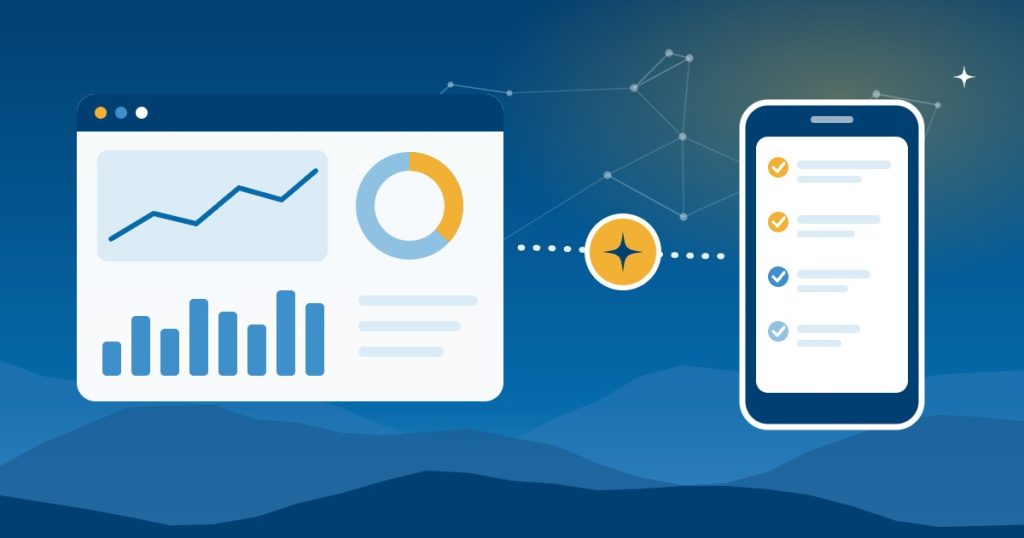
AI briefing vs dashboard is a fair question once you’ve seen both. A dashboard shows your numbers as charts whenever you open it. An AI briefing reads the same systems and sends you a short note about what changed and what needs you today. Most small businesses end up using both, but for different jobs.
This guide compares the two, explains when each one wins, and shows how to combine them so you spend less time hunting for problems.
AI briefing vs dashboard: the short answer
Use a dashboard to explore and track trends. On the other hand, use an AI briefing to start the day knowing what needs action. In other words, a dashboard answers “how are we doing?” when you ask, while a briefing tells you “here’s what changed” without being asked.
AI briefing vs dashboard at a glance
| Dashboard | AI briefing | |
|---|---|---|
| How you get it | You open it | It arrives by email, chat or voice |
| What it shows | Every metric you set up, as charts | The few things that changed or need action, in plain language |
| Best for | Trends, drilling into detail, team reviews | Daily priorities, exceptions and follow-ups |
| Data sources | Usually one system, or a set you connected | Several apps at once, such as email, CRM and books |
| Main risk | Nobody looks at it | It can misread something, so it needs checking |
| Setup | Reports and charts in a BI tool or app | A connected assistant and a saved prompt or automation |
When a dashboard beats an AI briefing
A dashboard is the better tool when you need to look closely:
- Spotting trends. Twelve months of sales by product line is easier to read as a chart than as a paragraph.
- Drilling into detail. When a number looks wrong, you can filter, click through and find the order behind it.
- Team meetings. Also, a shared dashboard keeps everyone looking at the same numbers.
- Exact figures. For a board report or a lender, use the numbers straight from the source system.
When an AI briefing beats a dashboard
An AI briefing is the better tool when the problem is attention rather than data:
- Nobody opens the dashboard. A briefing arrives on its own, so the important item reaches you anyway.
- The answer lives in several apps. For example, a late order may show up in the store, the inbox and the warehouse system, and a briefing can connect them.
- You need context, not charts. “Smith Supply hasn’t paid the $4,200 invoice, and they emailed about a new order” is quicker to act on than two reports.
- You’re away from a desk. A short message or an AI audio briefing works on a phone or in the truck.
How to combine an AI briefing with your dashboard
In practice, the two work best together. Here’s a simple setup:
- Keep the dashboard as the source of truth for numbers and trends.
- Send a daily briefing that lists only what changed or needs action, with a link to the dashboard for detail. Our guide to a daily business report covers what to include.
- Review the dashboard weekly with your team, and use the briefing to catch problems between reviews.
Some dashboard tools now add AI summaries of their own. For example, Copilot for Power BI can write a narrative that summarizes a report, a page or selected visuals. However, Microsoft says the narrative doesn’t update automatically, and authoring it needs a paid Fabric capacity. So for a summary that arrives every morning, a scheduled briefing is usually simpler.
Tools for each
- Dashboards. Many small businesses start with the reports already in QuickBooks Online, Shopify or their CRM, then move to a tool such as Power BI when they need data from several systems in one place.
- AI briefings. ChatGPT, Claude, Gemini and Copilot can all prepare a briefing from connected apps, and our comparison of AI briefing tools explains the differences. For specific systems, see our guides to a QuickBooks daily summary, a Shopify morning report and an AI CRM briefing.
If you’d rather ask questions on demand than read a summary, our guide to asking AI about your business data covers that too.
Getting help in Asheville and across North Carolina
Good People Technologies builds dashboards and AI briefings for clients as part of our AI implementation for small businesses in Asheville, Western North Carolina and across the state. We can connect your systems, decide what belongs in each, and set permissions so the briefing only reads your data. To talk it through, start with a free 15-minute operations and technology audit.
Frequently asked questions
Can AI replace my dashboard?
Not completely. An AI briefing is great for daily priorities, but you’ll still want a dashboard for trends, detail and exact figures.
Is an AI briefing accurate enough to replace checking the numbers?
Not on its own. Compare it with the source systems for the first week, and ask it to say when it couldn’t read a source. After that, spot-check it now and then.
Can a dashboard send me a daily summary?
Many dashboard tools can email a report on a schedule. However, that’s usually a snapshot of the charts, not a short list of what changed and what to do about it.
Which is cheaper to set up?
It depends on your systems. A briefing can start with an assistant you already pay for, while a dashboard across several systems usually takes more setup. Our guide to AI implementation cost covers typical budgets.
Sources, checked November 2026: Microsoft Learn on creating a narrative with Copilot for Power BI.

Hi, I’m Benji, founder and CTO of Good People Technologies in Asheville, NC. We help small and mid-sized businesses put AI to work safely and connect it to the systems they already run, from QuickBooks to NetSuite.
For over a decade, we’ve helped businesses solve complex operations and technology problems. When not working, I’m hiking or enjoying rivers in western North Carolina with my wife and two dogs.