A written morning briefing works well at a desk. But plenty of owners start the day in a truck, on a job site or walking the dog. An AI audio briefing reads the same priorities aloud: the emails that need you, today’s meetings and anything that slipped yesterday. In 2026, Google, Anthropic, OpenAI and Microsoft all let their assistants talk you through your inbox and calendar, so you can set one up in a few minutes.
This guide covers what a good spoken briefing sounds like, the ways to get one today, a prompt you can use, and how to listen safely, including on the road in North Carolina.
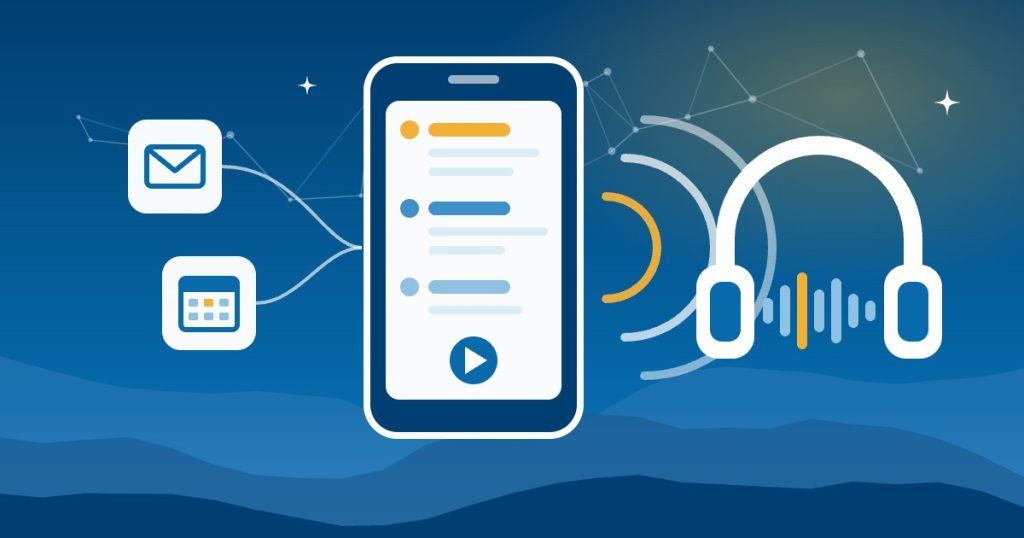
What a good AI audio briefing sounds like
Reading aloud changes the format. A list that’s easy to scan on screen is tiring to hear, so a good spoken briefing is built differently:
- It runs two or three minutes. That’s long enough for the essentials and short enough for a short drive.
- It leads with what needs you today. Then it covers what you should know, and finally what can wait. That’s the same DO / KNOW / LATER order our AI morning briefing guide uses.
- It says names and rounds numbers. “An invoice from Smith Supply for about forty-two hundred dollars” is easier to follow than a reference number.
- It skips links, codes and long quotes. Those belong on screen.
- It ends with an offer. For example, “Want details on any of these?” lets you ask follow-up questions by voice.
Ways to get an AI audio briefing in 2026
Each of the big assistants can now give you an AI audio briefing, but they read different apps and need different accounts:
| Option | What it reads | What you need |
|---|---|---|
| Gemini Daily Brief | Gmail, Google Calendar and other connected apps | The Gemini app; free in the US for personal Google accounts |
| Claude voice mode | Gmail, Google Calendar, Google Docs and Slack | Any Claude plan; free plans connect one tool |
| ChatGPT Voice | Connected apps such as Gmail, Google Calendar and Slack | Web, iOS or Android, with the apps your plan supports |
| Outlook voice catch-up | Important email and upcoming meetings in Outlook | Outlook for iOS or Android; currently a preview |
| Your own audio file | Whatever your automation pulls in | Zapier plus a text-to-speech service such as ElevenLabs |
Gemini: ask for your Daily Brief
Google’s Daily Brief, introduced at I/O in May 2026, puts together your priorities each morning from Gmail, Google Calendar, other connected apps and past chats. In Gemini Live, you can hear a spoken summary of your day, and you can also search, summarize, star or archive Gmail messages by voice. Just ask, “What’s my daily brief?”
Since September 2026, Daily Brief no longer needs a paid Google AI plan in the US. However, it’s described for personal Google accounts with Personal Intelligence turned on, so check whether your company’s Google Workspace account supports it before you rely on it.
Claude: voice mode with your connectors
In Claude’s voice mode, Claude can use Gmail, Google Calendar, Google Docs and Slack while you talk. Voice mode is in beta on the Claude mobile apps, desktop and web, and it’s included on every plan. Free plans can connect one tool, while paid plans can connect more. Anthropic says the transcript is saved in your chat history, but the audio isn’t kept by default.
Start a voice chat and ask Claude to walk you through the emails that need you, your meetings and anything overdue. If you’d also like a written version waiting each morning, Claude’s scheduled tasks can prepare one.
ChatGPT: Voice with connected apps
Since September 2026, ChatGPT Voice can use your connected apps, such as Gmail, Google Calendar and Slack, on the web, iOS and Android. It answers from those apps while you talk. Actions that change something, like sending a drafted email, still need your approval on screen, because you can’t approve them by voice.
ChatGPT’s scheduled tasks, which replaced the Pulse daily updates in June 2026, can also prepare a written briefing at a set time each morning. Our comparison of AI briefing tools covers the written options side by side.
Microsoft 365: Outlook voice catch-up
If your email runs on Microsoft 365, Outlook’s voice catch-up walks you through important emails and upcoming meetings by voice. You can interrupt to ask questions, flag, archive or delete messages, or create a draft reply. Microsoft lists it as a preview in Outlook for iOS and Android. Our guide to setting up Microsoft 365 Copilot covers licensing and setup.
Build your own audio briefing file
If you’d rather press play like a podcast, an automation can build the audio for you. A typical Zapier setup works like this: a schedule starts the Zap each weekday, the next steps pull today’s calendar and flagged email, an AI step writes a short script, and ElevenLabs’ Convert Text to Speech action turns the script into speech. Zapier notes that business use needs a commercial ElevenLabs license, which starts with its Starter plan.
This route takes more setup, but you control exactly what goes into your AI audio briefing. Our Zapier support services cover building and maintaining it.
A prompt for your audio morning briefing
Here’s a prompt you can say in voice mode or save in a scheduled task:
Give me my morning briefing out loud, in under three minutes:
- Emails that need a reply or a decision from me today, with who sent them
- Today’s meetings, with times and who’s attending
- Anything overdue or promised for today
- One line on anything that can wait
Use names, round the numbers and skip links. If you couldn’t check a source, say so. Then ask if I want details.
The line about sources matters most. A briefing that quietly skips a calendar sounds just as confident as one that checked everything.
Listening to your voice briefing safely in the car
North Carolina law makes it illegal to type or read email and text messages on a phone while driving on a public road. However, G.S. 20-137.4A makes exceptions for voice-operated technology and for when you’re lawfully parked or stopped. A violation is a $100 fine plus court costs. So a briefing you start and control by voice is the safer way to catch up on the road. A few habits help too:
- Start it before you pull out. Open the app and start voice mode while you’re still parked.
- Leave approvals for later. Don’t read drafts or approve anything while driving. ChatGPT requires approval on screen anyway.
- Mind who’s listening. Client names, pay or health details shouldn’t play over the speakers with a passenger or customer in the cab. Save those items for when you’re alone or parked.
This is general information, not legal advice.
Keep your AI audio briefing accurate
- Check it against the source for a week. Spoken summaries are easy to trust and hard to re-check, so compare each one with your inbox and calendar at first.
- Ask what it skipped. For example, ask “Did you check every calendar?” or “Were there emails you couldn’t read?”
- Keep it read-only. A briefing only needs to read. Connections that can send or delete belong behind approvals, and our AI use policy template includes a section on AI connections.
- Use business accounts for client data. Our guide on whether ChatGPT is safe for business data compares the plans.
Build it into your morning routine
An AI audio briefing is one piece of a bigger morning routine. Our guides cover the other parts: finding the emails that need you today, turning meeting transcripts into tasks, catching the misses between your tools and a daily business summary from QuickBooks. Together, they make up a full AI morning briefing for your business.
Getting help in Asheville and across North Carolina
Good People Technologies sets up morning briefings for clients as part of our AI implementation for small businesses in Asheville, Western North Carolina and across the state. We run our own company on one. We can connect your email, calendar and business apps, choose the assistant that fits the accounts you already have, and set the permissions. To talk it through, start with a free 15-minute operations and technology audit.
Frequently asked questions
Can AI read my emails to me while I drive?
Yes. Gemini Live, Claude’s voice mode, ChatGPT Voice and Outlook’s voice catch-up can all summarize email by voice. In North Carolina, voice-operated technology is exempt from the law against reading email while driving, but leave approvals and anything on screen until you’re parked.
Is there a free AI audio briefing?
Gemini’s Daily Brief is free in the US for personal Google accounts. Claude’s voice mode is also available on the free plan with one connected tool, and ChatGPT Voice works on free plans with the apps those plans support.
Does it work with Microsoft 365 email?
Outlook’s voice catch-up works directly in Outlook for iOS and Android, and it’s currently a preview. If you use another assistant, check whether its connectors support your Microsoft 365 mail and calendar on your plan.
Can I get my briefing as a podcast?
Not from the built-in assistants, which talk with you live. For an audio file you can play later, use an automation instead. For example, Zapier can send an AI-written script to ElevenLabs to turn it into speech.
Sources, checked November 2026: 9to5Google on Gemini’s Daily Brief, the Google blog on Gemini Live, the Claude Help Center on voice mode and scheduled tasks, Notebookcheck on ChatGPT Voice, 9to5Mac on ChatGPT scheduled tasks, Microsoft Support on Outlook voice catch-up, Zapier Help on ElevenLabs and the North Carolina General Statutes.

Hi, I’m Benji, founder and CTO of Good People Technologies in Asheville, NC. We help small and mid-sized businesses put AI to work safely and connect it to the systems they already run, from QuickBooks to NetSuite.
For over a decade, we’ve helped businesses solve complex operations and technology problems. When not working, I’m hiking or enjoying rivers in western North Carolina with my wife and two dogs.