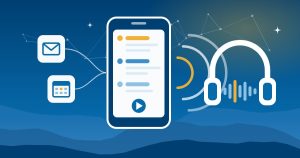
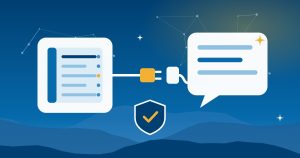
ERP automation used to mean workflows, approval rules and EDI. In 2026, it also means AI agents built into the ERP itself. Microsoft added agents to Business Central that turn customer emails into sales quotes and vendor PDFs into draft invoices, and Epicor, NetSuite, Acumatica and Infor all released or announced new AI features this year. For a manufacturer or distributor, the hard part isn’t finding AI features. It’s knowing which process to hand over first.
This guide covers what ERP automation with AI looks like now, the processes worth starting with, what the major ERPs offer, and how to keep a person in control.
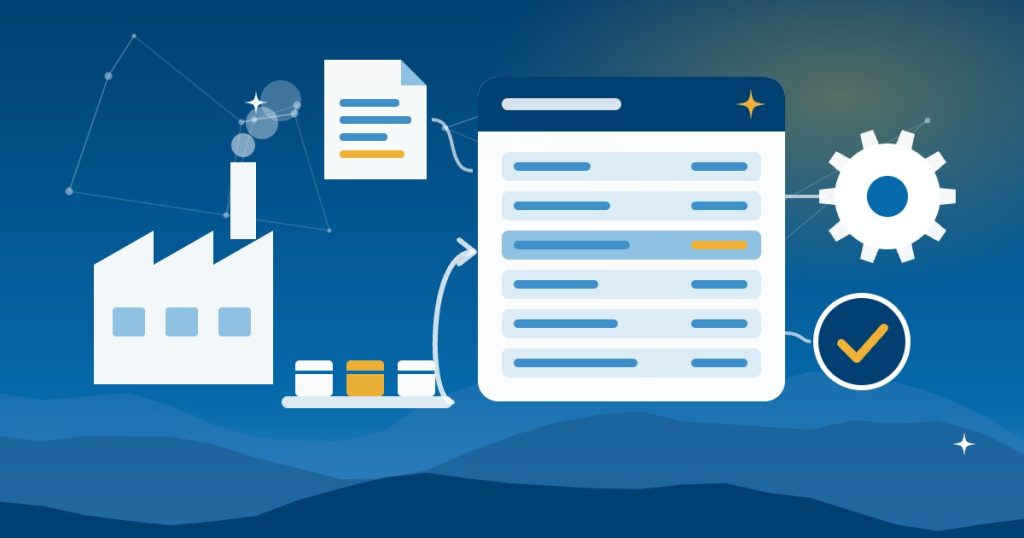
What ERP automation with AI means in 2026
There are now three layers, and most businesses end up using all of them:
- Rules-based automation. Workflows, approval chains, scheduled reports, EDI and integrations. Because they follow fixed rules, they do the same thing every time, which is exactly what you want for posting and payments.
- AI agents inside the ERP. These read emails and documents, draft transactions and also explain what the system did. Most of them stop at a draft for a person to review.
- Outside AI tools connected to the ERP. ChatGPT, Claude and other assistants can now connect to several ERPs through MCP, an open standard for linking AI tools to business systems, so you can ask questions of your own data.
The AI layers depend on the first one, though. If your item master, units of measure or customer records are messy, an agent will simply draft messy orders faster.
Where to start with ERP automation: five processes
First, look at the processes where today’s agents do the most useful work:
| Process | What AI can do now | What a person still does |
|---|---|---|
| Sales orders from email | Reads the request, checks the customer and stock, drafts a quote and a reply | Confirms the quote and the email before it goes out |
| Vendor invoices | Reads PDF invoices, matches the vendor and purchase order, drafts the invoice | Reviews the draft and posts it |
| Shipment status questions | Finds status by purchase order, sales order or customer name | Handles exceptions and the customer conversation |
| EDI exceptions | Answers plain-language questions about document status and errors | Fixes the trading partner setup or the order |
| Planning questions | Explains why MRP suggested what it did, or flags inventory exposure | Decides what to buy or build |
Start your ERP automation with the process that eats the most hours and has the clearest right answer. For many distributors, that’s order entry from email. For many manufacturers, it’s vendor invoices or planning questions. Then, before you switch anything on, record how long the work takes today. Our guide to measuring AI ROI shows how to set that baseline, so you can tell later whether the agent actually helped.
What each ERP offers for automation now
Microsoft Dynamics 365 Business Central
Business Central now includes several agents. The Sales Order Agent monitors a mailbox for customer requests, checks the customer and item availability, creates a sales quote and drafts a reply with the quote attached. A person confirms incoming requests and reviews outgoing emails, and Microsoft’s FAQ says the agent “doesn’t post documents.”
The Payables Agent reads PDF invoices from a mailbox, matches vendors and purchase order lines, and creates drafts for review. Likewise, it doesn’t post invoices, and it handles up to 100 emails and 500 invoices a day. Microsoft also says it doesn’t use your data, prompts or responses to train AI models. Both agents are supported in specific languages only, so test them with your real emails first.
Oracle NetSuite
At SuiteWorld in October 2026, NetSuite introduced SuiteAgents for specific industries. The product SuiteAgent looks at inventory exposure and supply changes and how they affect margin. It’s available now in NetSuite Next, along with the software and construction agents. NetSuite also added more than 45 SuiteSkills for connected AI tools, and its free AI Connector Service lets ChatGPT, Claude and other MCP tools work with your data. Our guide to NetSuite AI features covers AI Units and setup.
Epicor Kinetic and Prophet 21
In May 2026, Epicor introduced an agentic AI stack for Epicor Prism, its set of industry AI agents. The new and upcoming agents include:
- A Smart Data Capture Agent that extracts and validates documents for accounts payable.
- An EDI Agent that answers questions about EDI status and errors in Kinetic.
- A Quick Ship Tracking Agent that finds shipments by purchase order, sales order or customer.
- An MRP Log Agent that explains why MRP made its recommendations.
- A Business Rules Agent that lets Prophet 21 users create business rules from plain-language prompts.
Some agents are available now and others are still coming, so ask which ones your version supports. Epicor also describes API-first services that let AI tools work with the ERP through MCP.
Acumatica
Acumatica 2026 R2, generally available since October 1, 2026, adds an AI Assistant and AI Automation for answering questions, spotting anomalies and running prompt-driven workflows inside the ERP. It also adds an MCP connection for Claude, ChatGPT, Gemini and other tools. According to Acumatica, role-based permissions and field-level data masking carry over to those connected tools.
Infor
In October 2026, Infor expanded Infor Industry AI and its Velocity Suite, the package that includes its industry AI agents, an Agentic Orchestrator, process mining and automation. In addition, Infor lists human-approval workflows, permission controls and audit trails among the governance features.
We support all five platforms, so for details see our pages on Dynamics 365, NetSuite, Epicor Kinetic, Epicor Prophet 21, Acumatica and Infor.
How to automate ERP work without losing control
- Let agents draft, not post. Business Central’s agents stop at drafts by design. Similarly, keep the same rule for any agent: a person posts, pays and sends.
- Give each connection only the access it needs. Connect outside AI tools through a user or role limited to the task. Acumatica, for example, carries role-based permissions over to connected AI tools.
- Clean the data the agent relies on. Agents match on customer and item records, units of measure and vendor details. For example, Business Central’s Payables Agent matches vendors by registration number, name and address.
- Keep a record. Use the task timeline or audit trail your ERP provides, so you can see what the agent did and why.
- Write the rules down. Our AI use policy template now includes a section on AI connections and agents.
- Test before you trust it. First, run the agent in a sandbox or preview account with real examples.
A first ERP automation project in five steps
- Pick one process and one measure, such as hours spent on order entry each week.
- Collect 20 to 50 real examples, including the messy ones: forwarded emails, scanned PDFs, partial orders.
- Fix the master data those examples expose, such as duplicate customers or missing units of measure.
- Run the agent alongside your team for a few weeks, with a person approving everything it drafts.
- Then decide whether to expand, adjust or stop, based on the measure you picked.
When an integration or Zapier is the better fit
Not every ERP automation needs AI. Agents are good at reading unstructured requests, like an email with a part number buried in the third paragraph. However, structured data moving between systems, such as Shopify orders into the ERP or a nightly inventory sync, is usually better handled by a proper integration. It’s also more predictable and usually costs less to run. Our comparison of AI agents vs Zapier automations explains the trade-off, and our Celigo support covers integration platforms. If you’re weighing whether connecting your current apps is enough, see ERP vs integrations.
Getting help in Asheville and across North Carolina
Good People Technologies helps manufacturers and distributors in Asheville, Western North Carolina and across the state with business automation and system integration and AI implementation. We’re not a software reseller, so we can help you see what your current ERP already offers before you buy anything new. For more on where AI helps on the shop floor, see our guide to AI for manufacturers in Western North Carolina. To talk it through, start with a free 15-minute operations and technology audit.
Frequently asked questions
What is ERP automation?
It’s using software to handle ERP tasks without manual entry. That includes workflows, approvals, EDI and integrations, and now AI agents that read emails and documents and draft transactions for a person to review.
Do we need a new ERP to use AI agents?
Usually not. Business Central, NetSuite, Epicor, Acumatica and Infor have all added AI to their current products, though some features need the latest release, an add-on or a specific edition. So check what your version and license include first.
Will AI agents post transactions on their own?
Not the ones covered here, by default. Business Central’s Sales Order and Payables agents stop at drafts that a person reviews, and the other vendors describe approval and permission controls. Keep it that way, at least until you trust the results.
Can ChatGPT or Claude connect to our ERP?
For some ERPs, yes. NetSuite’s AI Connector Service and Acumatica’s MCP connection let tools like ChatGPT and Claude work with your data, and Epicor describes MCP support in its API-first services. Set the permissions before you connect anything.
How much does ERP automation with AI cost?
It depends on the vendor. NetSuite’s built-in AI draws on AI Units included with user licenses, and Infor packages its AI capabilities in Velocity Suite. Business Central, Epicor and Acumatica each have their own terms, so get the licensing details in writing before a pilot.
Sources, checked November 2026: Microsoft Learn on the Sales Order Agent, its FAQ and the Payables Agent FAQ; Epicor’s May 2026 announcement; Acumatica’s 2026 R2 announcement; Infor’s October 2026 announcement; and CPA Practice Advisor on NetSuite’s SuiteAgents and SuiteSkills.

Hi, I’m Benji, founder and CTO of Good People Technologies in Asheville, NC. We help small and mid-sized businesses put AI to work safely and connect it to the systems they already run, from QuickBooks to NetSuite.
For over a decade, we’ve helped businesses solve complex operations and technology problems. When not working, I’m hiking or enjoying rivers in western North Carolina with my wife and two dogs.