For a lot of companies outgrowing QuickBooks, NetSuite is the next step. In 2026, new NetSuite AI features changed what that step looks like. Oracle began rolling out NetSuite Next with AI built into its core, its Ask Oracle assistant arrived for customers in the US and Canada, and a free connector now lets ChatGPT and Claude work with NetSuite data. The catch is that most of the built-in AI runs on a pooled allowance of AI Units, so it’s worth understanding before your team leans on it.
This guide covers what NetSuite AI includes, how AI Units work, where AI helps a growing business, how to keep it under control and a simple way to start.
NetSuite AI features in 2026
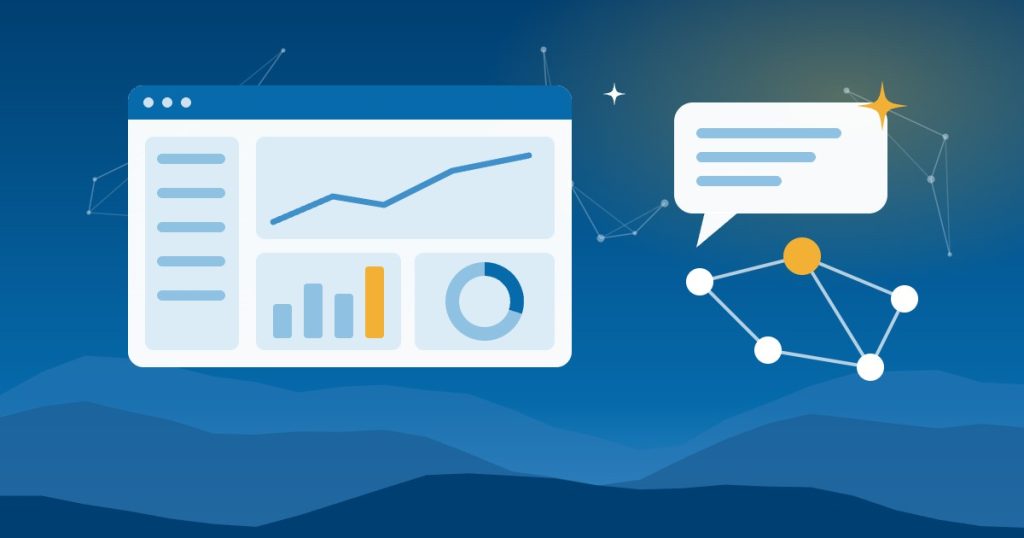
NetSuite Next and Ask Oracle. With release 2026.2 in July, Oracle began rolling out NetSuite Next to customers in the US and Canada. Admins can activate it by role and test it first in a preview account that copies your data, roles and customizations. Oracle says there’s no data migration, and your roles, permissions and workflows stay the same. Ask Oracle, the built-in assistant, lets people ask questions in plain language, generate reports, navigate records and complete everyday tasks.
AI features inside NetSuite. Oracle’s AI Units documentation lists several, including Text Enhance for rewording messages, Narrative Insights on records, Case Summary for support cases, a Transaction Matching Assistant for bank transactions, and Prompt Studio for building your own prompt actions.
AI Connector Service. This lets ChatGPT, Claude and other AI tools that support MCP connect to your account. According to Oracle’s FAQ, the service isn’t a paid feature. A connected tool can create, read and update records, run reports and saved searches, and run read-only SuiteQL queries. At SuiteWorld in October 2026, NetSuite also announced more than 45 SuiteSkills, prebuilt skills that help connected AI tools with tasks like financial close, billing and inventory.
Add-on modules. NetSuite Bill Capture, NetSuite EPM and NetSuite Analytics Warehouse include AI capabilities of their own, licensed separately.
How NetSuite AI Units work
Most built-in NetSuite AI features draw from a pool of AI Units. According to Oracle’s AI Units FAQ:
- Each General Access user license adds 1,000 AI Units per month of your term to an account-wide pool. A 36-month term with 10 users comes to 360,000 units.
- Unused units don’t carry over to the next term.
- Add-on packs of 10,000 or 25,000 units are available. When the pool runs out, you buy more or pause AI features.
- The AI Connector Service, Bill Capture, NetSuite EPM and NetSuite Analytics Warehouse don’t use AI Units.
- Admins can check usage under Setup, then Company, then View Billing Information.
Oracle publishes rough estimates per task:
| Feature | Example | Estimated AI Units |
|---|---|---|
| Ask Oracle, simple question | “How do I create a vendor credit?” | About 10 |
| Ask Oracle, analysis question | The remaining balance on one invoice | 10 to 50 |
| Ask Oracle, research question | Top five customers by overdue balance this quarter | 50 to 200 |
| Text Enhance | Rewording a support message | 5 to 10 |
| Transaction Matching Assistant | Matching a bank transaction to the right invoice | 5 to 10 |
As a rough example, a 10-user account adds 10,000 units to the pool each month. That’s about 1,000 simple questions, or 50 to 200 research questions. Heavy users can drain the pool faster than you’d expect, so check usage in the first few months.
Where NetSuite AI features help a growing business
- Finance. Questions about receivables and cash, faster bank matching and plain-language summaries for the owner.
- Operations. Inventory questions across locations, with SuiteSkills for connected AI tools.
- Customer service. Case summaries and drafted replies for support staff.
- Sales. Draft renewal reminders and customer emails built from record data.
- Accounts payable. Bill Capture to pull data from vendor bills, if you license it.
Our guide to AI for small manufacturers in Western North Carolina covers inventory and production use cases in more detail.
Keeping it under control
Roles still matter. Ask Oracle works within each person’s existing NetSuite roles and permissions, so a role that’s too broad gives AI the same reach.
Connect outside AI tools through a limited role. Connected tools can create and update records, not just read them. Use a dedicated role with only the access the job needs. Our guide to connecting AI to QuickBooks, NetSuite and Shopify walks through the setup. To compare NetSuite’s SuiteAgents with the agents in Business Central, Epicor, Acumatica and Infor, see our guide to ERP automation with AI.
Know the off switches. Oracle’s AI Units FAQ says there’s no single account-level switch for AI. Controls are feature by feature, through AI preferences, roles and permissions, and Ask Oracle and NetSuite Next need AI turned on to work.
Check the answers. AI can still get numbers wrong. Compare anything important with a saved search or report before you act on it.
Outgrowing QuickBooks? When NetSuite makes sense
AI alone isn’t a reason to switch. QuickBooks Online has its own AI features, as our guide to automating invoicing in QuickBooks shows. NetSuite usually makes sense when a business has:
- More than one entity, currency or location to consolidate
- Inventory across warehouses or channels like Shopify and wholesale
- A month-end close that depends on spreadsheets and manual matching
- A need for detailed roles, approvals and audit trails
- Several systems that need to share one set of numbers
A 60-day plan to get started
- Weeks 1 and 2: Activate NetSuite Next in a preview account and test it with one role, like accounting.
- Weeks 3 and 4: Pick two or three recurring questions or tasks, such as a weekly overdue receivables list, and use Ask Oracle for them. Check AI Unit usage each week.
- Weeks 5 and 6: If you need ChatGPT or Claude, connect it through a limited role and test it on read-only questions first.
- Weeks 7 and 8: Measure time saved against your baseline and decide what to expand. Our guide on how to measure AI ROI covers the math.
Getting help in Asheville and across North Carolina
Good People Technologies provides NetSuite support and AI implementation for small businesses in Asheville, Western North Carolina and across the state. That includes NetSuite Next rollout, role cleanup, AI connector setup and the integrations underneath. To talk it through, start with a free 15-minute operations and technology audit.
Frequently asked questions
Do NetSuite AI features cost extra?
Many built-in features draw from the pooled AI Units that come with each user license, and heavy use may need add-on packs. The AI Connector Service doesn’t use AI Units, though you still pay for your own ChatGPT or Claude subscription.
What is NetSuite Next?
It’s the next generation of NetSuite, with AI built into its core. It began rolling out with release 2026.2 to customers in the US and Canada, without a data migration.
Can I connect ChatGPT or Claude to NetSuite?
Yes, through the NetSuite AI Connector Service. Connect through a limited role, because connected tools can create and update records.
Should we switch from QuickBooks just for AI?
Not for AI alone. Move when your entities, inventory or close process have outgrown QuickBooks, then use NetSuite AI on top.
Sources, checked November 2026: NetSuite on NetSuite Next and release 2026.2, Oracle’s NetSuite Help Center on AI Units, AI Units by feature and the AI Connector Service, and CPA Practice Advisor on SuiteSkills.

Hi, I’m Benji, founder and CTO of Good People Technologies in Asheville, NC. We help small and mid-sized businesses put AI to work safely and connect it to the systems they already run, from QuickBooks to NetSuite.
For over a decade, we’ve helped businesses solve complex operations and technology problems. When not working, I’m hiking or enjoying rivers in western North Carolina with my wife and two dogs.