Most of what would make AI useful in your business lives in your systems: the books, the orders, the inventory. Until recently, getting AI to see that data meant exporting reports and pasting them into a chat. In 2026, that’s changed. You can now connect AI to QuickBooks, NetSuite and Shopify through official connectors, and each platform also has its own built-in assistant.
Here’s what’s available on each platform, what a connected AI tool can and can’t do, and how to set it up without handing it more access than it needs. Everything below is based on each vendor’s own documentation as of October 2026.
Three ways to connect AI to your business systems
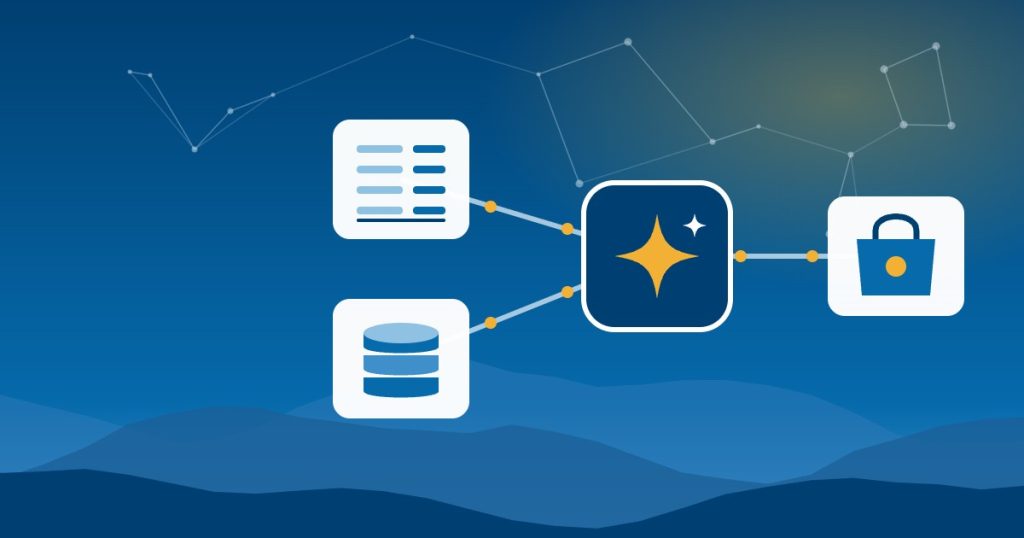
There are three main routes, and most businesses end up using more than one:
- Built-in AI. QuickBooks Online has AI agents, NetSuite has Ask Oracle, and Shopify has Sidekick. They live inside the product and already know your data.
- Official connectors for ChatGPT, Claude and other AI tools. These let the AI assistant your team already uses read from, and sometimes make changes in, your business system. Most are built on the Model Context Protocol (MCP), an open standard for connecting AI tools to other software. You don’t need to understand it, but you’ll see the name in setup guides.
- Automation platforms. Tools like Zapier, Make and Shopify Flow move data between systems on a schedule or a trigger. They’re better for repeatable steps that should happen the same way every time.
Built-in AI is the easiest place to start. Connectors are more flexible, because one assistant can work across several systems. That flexibility is also why they need more care.
How to connect AI to QuickBooks Online
There are two ways to connect AI to QuickBooks Online: the agents built into the product, and official connectors for outside AI tools.
Built-in AI. Intuit started rolling out AI agents in QuickBooks Online to U.S. customers in July 2025. They handle jobs like categorizing transactions, chasing unpaid invoices and building reports. Which ones you get depends on your plan.
ChatGPT and Claude. Intuit offers an official QuickBooks connector for Claude and a QuickBooks plugin for ChatGPT. According to Intuit’s announcement, you can create, send and update invoices and estimates, send payment reminders and payment links, add customers, and ask questions about payroll. You can’t run payroll from the chat yet. Payment features need a QuickBooks Payments account, and the ChatGPT setup guide says the connection is currently available only to U.S. QuickBooks Online customers. Intuit also says the data stays within its systems and isn’t used to train foundation models.
QuickBooks Desktop. The official connectors require a QuickBooks Online subscription. If you’re still on Desktop, these tools won’t see your books.
Good first things to try:
- “Which invoices are more than 30 days overdue? Draft a polite reminder for each one.” Then review the drafts before anything is sent.
- “Why was net income lower this month than last month?” Then check the answer against your profit and loss report.
One caution: these connectors can write, not just read. They can send and even delete invoices. Agree on which actions always get a person’s approval before anyone connects.
Connecting AI to NetSuite
Built-in AI. NetSuite’s assistant, Ask Oracle, lets users ask questions about their data and take action inside NetSuite, within their existing roles and permissions. In July 2026, Oracle began rolling out NetSuite Next to customers in the U.S. and Canada, and Ask Oracle was already available to existing customers there.
ChatGPT, Claude and other AI tools. The NetSuite AI Connector Service lets any AI tool that supports MCP connect to your account. Per Oracle’s FAQ, the service isn’t a paid feature and the MCP Standard Tools SuiteApp is free. You still pay for your AI subscription. Claude Pro and higher plans and ChatGPT are supported, though some ChatGPT setups need extra configuration. A connected tool can create, read and update records, run reports and saved searches, and run read-only SuiteQL queries.
The permission model is the part to get right:
- The Administrator role isn’t supported. You create a dedicated role with the MCP Server Connection and OAuth 2.0 Access Tokens permissions.
- The AI can only do what that role is allowed to do. That makes the role your main safety control.
- Oracle says the service hasn’t been assessed for HIPAA, so don’t use it with protected health information.
- Large queries can hit limits, and AI can still get answers wrong, so check results against NetSuite before acting on them.
At SuiteWorld in October 2026, NetSuite announced SuiteSkills, more than 45 prebuilt skills that help connected AI tools handle tasks in areas like financial close, billing and inventory. Oracle also said more than 13,000 customers have adopted the AI Connector Service.
Good first things to try:
- “Which customers are more than 60 days past due, and what’s the total?”
- “Explain the biggest changes in inventory value since last month.”
Connecting AI to Shopify
Built-in AI. Sidekick is the assistant inside your Shopify admin. It answers questions about your store and can draft changes, but it can’t change your live store without your approval.
ChatGPT, Claude and other AI tools. Shopify has its own connectors for ChatGPT, Claude, Gemini, Microsoft Copilot and several other AI tools. Shopify describes its ChatGPT plugin as free. Once connected, you can look up orders, check inventory, edit products, launch discounts and ask about sales trends.
Shopify’s permission controls are clear:
- A connected tool can read data but not change it, unless you approve write access.
- It can only do what your staff account is allowed to do.
- To reduce access, you uninstall the integration and reinstall it with the lower level.
Shopify’s documentation for the Claude connector also lists what it won’t do, even with write access: issue refunds, cancel orders, process returns or change payments, taxes and domains. It asks for confirmation before bulk changes and before publishing a theme.
Good first things to try:
- “Which products sold fewer than five units last quarter?”
- “Write descriptions for the ten newest products and save them as drafts.” Then read them before they go live.
QuickBooks, NetSuite and Shopify AI side by side
| QuickBooks Online | NetSuite | Shopify | |
|---|---|---|---|
| Built-in AI | QuickBooks AI agents | Ask Oracle | Sidekick |
| ChatGPT and Claude | Official connector and plugin from Intuit | AI Connector Service (MCP) | Official connectors from Shopify |
| Extra cost for the connection | Intuit doesn’t list a separate fee | Not a paid feature | Free |
| Can it change data? | Yes, including invoices, estimates and customers | Yes, within the role’s permissions | Only if you approve write access |
| Main thing to watch | U.S. only, and Online only. Payment features need QuickBooks Payments. | No Administrator role. Not assessed for HIPAA. | Staff permissions apply. Check which actions each connector supports. |
Before you connect AI to anything
Whether you connect AI to QuickBooks, NetSuite or Shopify, this checklist takes about an hour and prevents most problems:
- Use business plans for your AI tool. Personal accounts have weaker data terms and no admin control. Our guide on whether ChatGPT is safe for business data explains the difference.
- Create a dedicated user or role with the least access needed. Don’t connect AI through the owner’s or administrator’s login.
- Start read-only where you can. Give it two weeks of questions before you allow changes.
- Require a person’s approval for anything that sends, posts or deletes. Invoices, emails, price changes and discounts all count.
- Keep a simple log of what AI changed. Even a shared note helps when someone asks why a record looks different.
- Update your AI use policy. Add which systems are connected and who can approve changes. Our AI use policy template has a section for it.
- Know how to disconnect. Write down where the connection lives and how to remove it.
If your team is new to AI, get the basics working first. Our guide on how to roll out AI to your team covers the order we recommend.
When a connector isn’t enough
Connectors work one system at a time. Many real questions cross systems: Shopify sales against what’s in QuickBooks, or NetSuite inventory against open orders. If those systems don’t agree with each other, AI will give you a confident answer built on mismatched data.
That’s why the integration underneath matters more than the AI on top. If your Shopify orders, payouts and fees don’t flow cleanly into your books, fix that first. It’s the same work we do with QuickBooks Online, NetSuite and Shopify every week, and it’s what makes AI answers trustworthy.
For businesses in Asheville and across North Carolina, Good People Technologies helps with AI implementation for small businesses, including connecting AI to QuickBooks, NetSuite, Shopify and the other systems you already run. A free 15-minute operations and technology audit is a good way to find out which connection is worth making first.
Frequently asked questions
Can ChatGPT or Claude connect to QuickBooks Desktop?
Not through Intuit’s official connectors, which require QuickBooks Online. Third-party tools exist, but check their security and data terms carefully before giving them access to your books.
Does connecting AI to NetSuite cost extra?
Oracle says the AI Connector Service isn’t a paid feature, and the MCP Standard Tools SuiteApp is free. You’ll still need a paid plan for your AI tool, plus some time to set up the role and permissions properly.
Can AI change my Shopify store without asking?
Not unless you allow it. Connected tools are read-only until you approve write access, and Sidekick needs your approval before changing your live store. Some actions, like refunds and order cancellations, aren’t available through the Claude connector at all.
Is it safe to connect AI to our accounting data?
It can be, with the right setup: a business plan for the AI tool, a dedicated user with limited access, and a person approving anything that sends or changes records. Start read-only, and expand once you’ve seen how it behaves.
Sources, checked October 2026: Intuit’s QuickBooks in Claude and ChatGPT announcement and AI agents announcement, Oracle’s NetSuite AI Connector Service FAQ, and Shopify’s Help Center pages on connecting AI tools and authorizing access.

Hi, I’m Benji, founder and CTO of Good People Technologies in Asheville, NC. We help small and mid-sized businesses put AI to work safely and connect it to the systems they already run, from QuickBooks to NetSuite.
For over a decade, we’ve helped businesses solve complex operations and technology problems. When not working, I’m hiking or enjoying rivers in western North Carolina with my wife and two dogs.