Getting one person in your office to use AI well is easy. Getting a team of 12 to use it the same way, safely, and still be using it three months later is where most small businesses get stuck. A good AI rollout has less to do with the tool you pick than with the order you do things in: who goes first, how people learn, what the rules are and how you’ll know it’s working.
This is the plan I use with small teams in Asheville and around North Carolina. It assumes you’ve already proven AI helps with at least one task. If you haven’t, start with our 30-day plan to start using AI and come back here when you’re ready to bring everyone else along.
Why most AI rollouts stall
AI adoption is still uneven. In May 2026, the U.S. Census Bureau reported that about one in five U.S. businesses (19.8%) were using AI. Use among firms with fewer than 20 employees hadn’t changed much over the previous five months, while use among firms with 20 or more employees kept rising.
In small businesses, the reasons are rarely technical. When an AI rollout stalls, it’s usually one of these:
- Seats without a purpose. Everyone gets a license, nobody gets a task. Within a month, two people are still using it.
- Everyone learns alone. One person figures out a great way to draft quotes and nobody else hears about it.
- Unclear rules. People either avoid AI because they’re worried about getting it wrong, or they quietly use personal accounts.
- No owner. It’s everybody’s project, so it’s nobody’s.
- Unspoken worries. People wonder what AI means for their job, and nobody brings it up.
Each of these has a simple fix, and none of them requires a big budget.
Three decisions to make before you roll out AI
Pick one approved tool. For most small teams, that’s the AI that comes with what you already use: Copilot if you’re on Microsoft 365, Gemini if you’re on Google Workspace, or a business plan of ChatGPT or Claude. One tool means one set of instructions, one place to share what works, and one bill. Our guide to AI implementation cost compares current plans, and our look at whether ChatGPT is safe for business data explains why business plans matter.
Write the rules down. A one-page AI use policy answers the questions people are guessing at: what data can go in, who reviews output, what needs approval. Write it before the rollout, not after the first mistake.
Name an owner. Someone who likes this stuff and has two hours a week for it. They don’t need to be technical. Their job is to collect what works, answer questions and report back on what’s happening.
Phase 1: Start with a small pilot group
Pick two to four people for the first month. Choose people with real, repeatable tasks, and include at least one skeptic. An enthusiast will tell you what’s possible. A skeptic will tell you what’s annoying, and that’s more useful.
Give each person one task to try AI on, measure it, and meet for 20 minutes a week to compare notes. It’s the 30-day plan, run by a few people at once.
By the end of the month, you want three things written down:
- The tasks where AI clearly helped, with rough time saved
- The instructions (prompts) that worked, word for word
- The mistakes the AI made, so others know what to check
That document becomes your team playbook. It’s the most valuable thing the pilot produces.
Phase 2: Train people by role, not by tool
Generic AI training is easy to forget. A 45-minute session where people see AI do their own work, with their own kind of documents, sticks.
Group people by what they do, and use examples from the playbook:
| Role | Good starting tasks | What to check before using the output |
|---|---|---|
| Office and admin | Sorting the inbox, turning meeting notes into tasks, drafting routine replies | Names, dates and who was promised what |
| Bookkeeping | Explaining changes between months, drafting payment reminders | Every number, against the books |
| Sales and customer service | First drafts of replies and quote follow-ups | Prices, promises and tone |
| Operations | Turning documents into checklists and SOP drafts | That the steps match how the work is actually done |
| Owners and managers | Weekly summaries, research, preparing for hard conversations | Sources and facts |
Every session should cover three things: how to give clear instructions, how to check the output, and which data stays out. Leave people with a one-page cheat sheet, not a slide deck.
Good AI training for employees is short and repeated. A 15-minute follow-up two weeks later does more than a longer first session.
Phase 3: Expand team by team
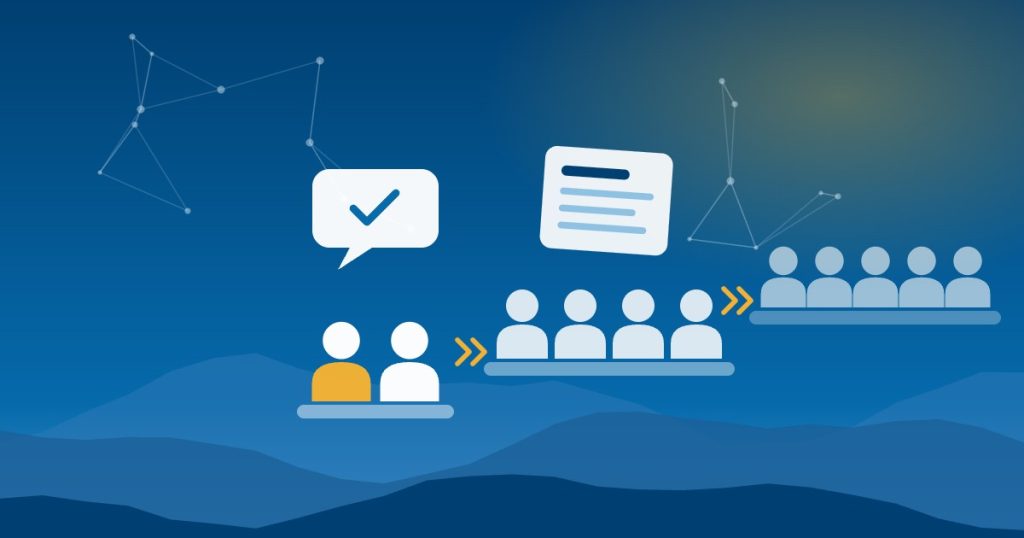
Once the first roles are trained, roll out AI to the next group, not to everyone at once. A few things make each wave go smoothly:
- A champion on each team. One person who’s a step ahead and can answer quick questions. Usually it’s someone from the pilot.
- Weekly office hours. Thirty minutes where anyone can bring a task and work on it with the owner. Attendance tells you a lot about how things are going.
- A shared prompt library. Save the instructions that work in one place. ChatGPT and Claude both let business-plan users share projects with colleagues, and a shared document works fine too.
- A place to share wins. A Teams or Slack channel where people post what saved them time. It spreads good ideas faster than training does.
Hold back on connecting AI to email, files or your accounting system until the basics are solid. Those connections are useful, but they raise the stakes. Our guide to connecting AI to QuickBooks, NetSuite and Shopify covers how to do that safely when you’re ready.
Talk honestly about jobs
People will wonder what AI means for them, whether they say it or not. Address it early and directly.
- Say what AI is for in your business. If the goal is to get rid of tedious work so people can spend more time with customers, say so. If roles are going to change, say that too. Vague reassurance is worse than an honest answer.
- Don’t use AI usage as a performance score. At least not early on. People should feel free to experiment and to admit when it didn’t help.
- Give credit for sharing. The person who figures out a better way to handle quotes and teaches it to everyone else deserves recognition.
- Keep people responsible for their work. AI drafts, people decide. That’s a rule in our AI use policy template, and it also tells your team their judgment still matters.
What to measure during your AI rollout
You don’t need a dashboard. Four numbers, checked monthly, are enough:
- Active users. How many people used the tool in the past week? Many business plans include basic usage reports for admins.
- Time saved on tracked tasks. Pick two or three tasks from the playbook and time them, as you did in the pilot.
- Errors caught in review. If people are catching mistakes, the review step is working. If nobody ever finds one, they may not be checking.
- Questions at office hours. Fewer basic questions and more advanced ones means people are learning.
If active users drop after the first month, don’t push harder. Ask the people who stopped why. The answer usually points to a missing task, a confusing rule or a tool that doesn’t fit how they work.
A 90-day AI rollout timeline
| When | What happens | Who’s involved |
|---|---|---|
| Weeks 1 to 2 | Choose the tool, write the AI use policy, name an owner, pick the pilot group | Owner and leadership |
| Weeks 3 to 6 | Pilot: each person tests AI on one task and measures it | Pilot group |
| Weeks 7 to 8 | Write the playbook and run role-based training for the first teams | Owner and pilot group |
| Weeks 9 to 12 | Expand team by team, start office hours, review the four numbers | Everyone |
For a team of 10 to 50 people, three months is a realistic pace. Faster is possible, but rushing usually means skipping the playbook, and that’s the part that makes everything else work.
Common AI rollout mistakes
- One big all-hands demo, then nothing. People leave impressed and go back to working the same way. Follow-up matters more than the kickoff.
- Making it mandatory before it’s useful. Requiring AI before people have a task it helps with breeds resentment, not adoption.
- Ignoring the skeptics. They often have the most practical objections. Fix those, and you’ve fixed them for everyone.
- Turning on every feature at once. Start with chat and documents. Add connections to email, calendars and business systems later, one at a time.
- Letting the playbook go stale. The tools change often. Review the playbook and the policy every few months.
Help with training costs in North Carolina
Some North Carolina employers can get help paying for staff training. NCWorks offers a competitive grant for training existing employees through local workforce development boards. In the Asheville area, that’s the Mountain Area Workforce Development Board, which serves Buncombe, Henderson, Madison and Transylvania counties. Whether AI training qualifies depends on the current program guidelines, so ask your local board before you plan around it.
The community college Small Business Centers and the NC SBTDC also offer free or low-cost help. We listed them at the end of our 30-day plan.
Need a hand with your AI rollout?
You can run most of this plan yourself. Where teams usually want help is setting up the tool and its admin controls, building the first playbook and running the role-based training.
That’s the work we do. Good People Technologies helps with AI implementation for small businesses in Asheville, Western North Carolina and across the state. If you’d like to talk it through, start with a free 15-minute operations and technology audit.
Frequently asked questions
How long does an AI rollout take for a small business?
For a team of 10 to 50 people, plan on about three months: a month to pilot, a few weeks to build the playbook and train, and a month to expand. Smaller teams can move faster.
Should using AI be mandatory for employees?
Not at first. Make it available, give people tasks where it clearly helps, and share the results. Once AI is part of how a task gets done, it’s fair to expect people to use it for that task.
How do we train employees on AI without a big budget?
Use your own pilot. Two or three people who’ve used AI for a month can teach the rest of the team better than a generic course, because they use your tasks and your documents. Add short follow-ups and a shared prompt library.
What if some employees don’t want to use AI?
Ask why. Common reasons are worries about mistakes, privacy or their job, or simply that their work doesn’t have a good AI task yet. Clear rules and an honest conversation solve most of it. Some roles may never need much AI, and that’s fine.

Hi, I’m Benji, founder and CTO of Good People Technologies in Asheville, NC. We help small and mid-sized businesses put AI to work safely and connect it to the systems they already run, from QuickBooks to NetSuite.
For over a decade, we’ve helped businesses solve complex operations and technology problems. When not working, I’m hiking or enjoying rivers in western North Carolina with my wife and two dogs.