Every small business knows the cost of a missed call or an unanswered message. AI customer service promises to fix that: instant answers on your website, a voice that picks up after hours, and drafts that save your staff time. Customers, though, have mixed feelings. In a Gartner survey of 5,728 customers, 64% said they’d prefer companies didn’t use AI for customer service. Their top concern was that it would get harder to reach a person.
So the goal isn’t to replace people. It’s to answer faster and get customers to the right person sooner. This guide covers where AI helps a small business, what to avoid, and how to set up a chatbot and phone answering without frustrating the people you serve.
Where AI customer service helps
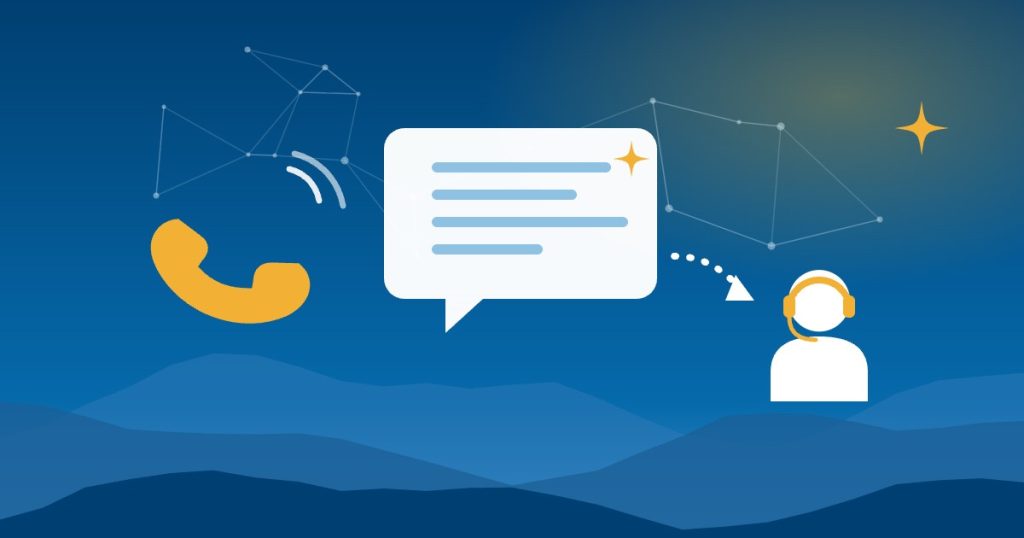
- After-hours and overflow calls. AI can answer, collect the details, book an appointment and flag anything urgent for a person.
- Website and social media chat. Answering common questions about hours, service areas, pricing and policies, using your own content.
- Email and contact forms. Sorting messages by topic and drafting replies for staff to review.
- Appointment reminders and confirmations, sent to customers who’ve agreed to receive them.
- Review replies. Drafting a calm, specific response for you to edit and post.
- Summaries for your team. A short summary of every call or chat, so nobody has to listen to recordings.
What to avoid with AI customer service
Making it hard to reach a person. That’s the top worry in the Gartner survey, and it’s the fastest way to lose a customer. Every chat and call should offer a clear way to reach a human or request a callback.
Letting the bot make up policies. In 2024, a Canadian tribunal held Air Canada responsible after its website chatbot told a customer he could apply for a bereavement fare discount after his trip, contradicting the airline’s own policy page. The airline argued the chatbot was responsible for its own words. The tribunal rejected that, saying it made no difference whether the information came from a static page or a chatbot. Assume your customers will hold you to whatever your bot says.
Pretending to be human. Say it’s an automated assistant in the greeting. In North Carolina, Senate Bill 963, filed in 2026, would require many chatbot providers to tell users they aren’t talking to a person and to get their consent at the start of each session. At its latest listed action, the bill was still in committee. Disclosure is the safer habit either way.
Collecting sensitive information. Don’t let a chatbot take card numbers, Social Security numbers or health details. Medical and dental offices need a vendor that signs a business associate agreement, as our guide to AI for medical and dental practices explains.
AI voices on outbound calls without consent. In February 2024, the FCC ruled that AI-generated voices count as “artificial” under the Telephone Consumer Protection Act. According to Cooley, that means calls using them generally need the called person’s prior express consent. Be careful before letting an AI system place calls on its own.
How to set up a customer service chatbot
- Write the answer sheet first. Hours, service area, prices or price ranges, cancellation and refund policies, and what you don’t do. This is the only content the chatbot should rely on.
- Tell it what to do when it’s unsure. “I’ll have someone follow up” is always better than a confident guess.
- Define the handoffs. Complaints, billing disputes, refunds, emergencies and anything legal or medical go to a person.
- Disclose that it’s AI in the first message.
- Test it with 20 real questions from your inbox before it goes live, including a few tricky ones.
- Read the transcripts every week at first, and update the answer sheet when you see a wrong or weak answer.
AI phone answering: getting it right
AI phone answering usually comes in one of three forms: built into your phone system or industry software, a standalone AI answering service, or a human answering service that uses AI behind the scenes. Contractors and home service businesses often already have it in their field service software, which we cover in our guide to AI for contractors.
A few setup tips:
- Start with after-hours and overflow calls, not every call.
- Keep the greeting short and say it’s an automated assistant.
- Set urgent keywords that send a call or an alert straight to a person.
- Send every call summary to a shared inbox or text thread, so follow-ups don’t fall through the cracks.
- Announce recording. North Carolina allows one party to record a conversation, but some states require everyone’s consent and callers may be anywhere. A simple “this call may be recorded” covers you.
Measuring whether it works
Compare 30 days before and 30 days after, using numbers you can pull from your phone system, inbox and calendar:
- Missed calls and unanswered messages
- Time to first response
- Appointments booked after hours
- How often customers ask for a person
- Complaints that mention the bot or the phone system
If customers keep asking for a person at the same point, that’s where the AI needs better instructions or a faster handoff.
Guides for specific industries
The details differ by business. Our guides to AI for restaurants and breweries, vacation rental hosts, contractors and home services and medical and dental practices cover the customer service questions specific to each.
Getting help in Asheville and across North Carolina
Good People Technologies helps with AI implementation for small businesses in Asheville, Western North Carolina and across the state. For customer service, that usually means writing the answer sheet, setting up handoffs to your team and connecting the chatbot or phone system to your calendar and CRM. A one-page AI use policy helps your staff know what the AI can and can’t promise. To talk it through, start with a free 15-minute operations and technology audit.
Frequently asked questions
Do I have to tell customers they’re talking to AI?
A North Carolina Senate bill would require many chatbot providers to disclose it, though it hadn’t passed at its latest listed action. Either way, telling customers up front is the better practice and avoids surprises.
Will customers be annoyed by an AI chatbot?
Some will. Customers mainly object when AI makes it harder to reach a person. Keep answers short, make the handoff easy and use AI where it gets people help faster.
Am I responsible for what my chatbot says?
You should assume so. In the Air Canada case, the tribunal held the company responsible for its chatbot’s wrong answer. This is general information, not legal advice.
What should AI customer service never handle?
Card payments, health or financial details, refunds and disputes, and anything that needs a professional judgment. Those go to a person.
Sources, checked November 2026: Gartner, McCarthy Tétrault on Moffatt v. Air Canada, NC Senate Bill 963, Cooley on the FCC’s AI voice ruling and the Reporters Committee on NC recording law.

Hi, I’m Benji, founder and CTO of Good People Technologies in Asheville, NC. We help small and mid-sized businesses put AI to work safely and connect it to the systems they already run, from QuickBooks to NetSuite.
For over a decade, we’ve helped businesses solve complex operations and technology problems. When not working, I’m hiking or enjoying rivers in western North Carolina with my wife and two dogs.